Changelog Formats for End Users vs Developers
Developer and user changelogs need different information for different decisions.
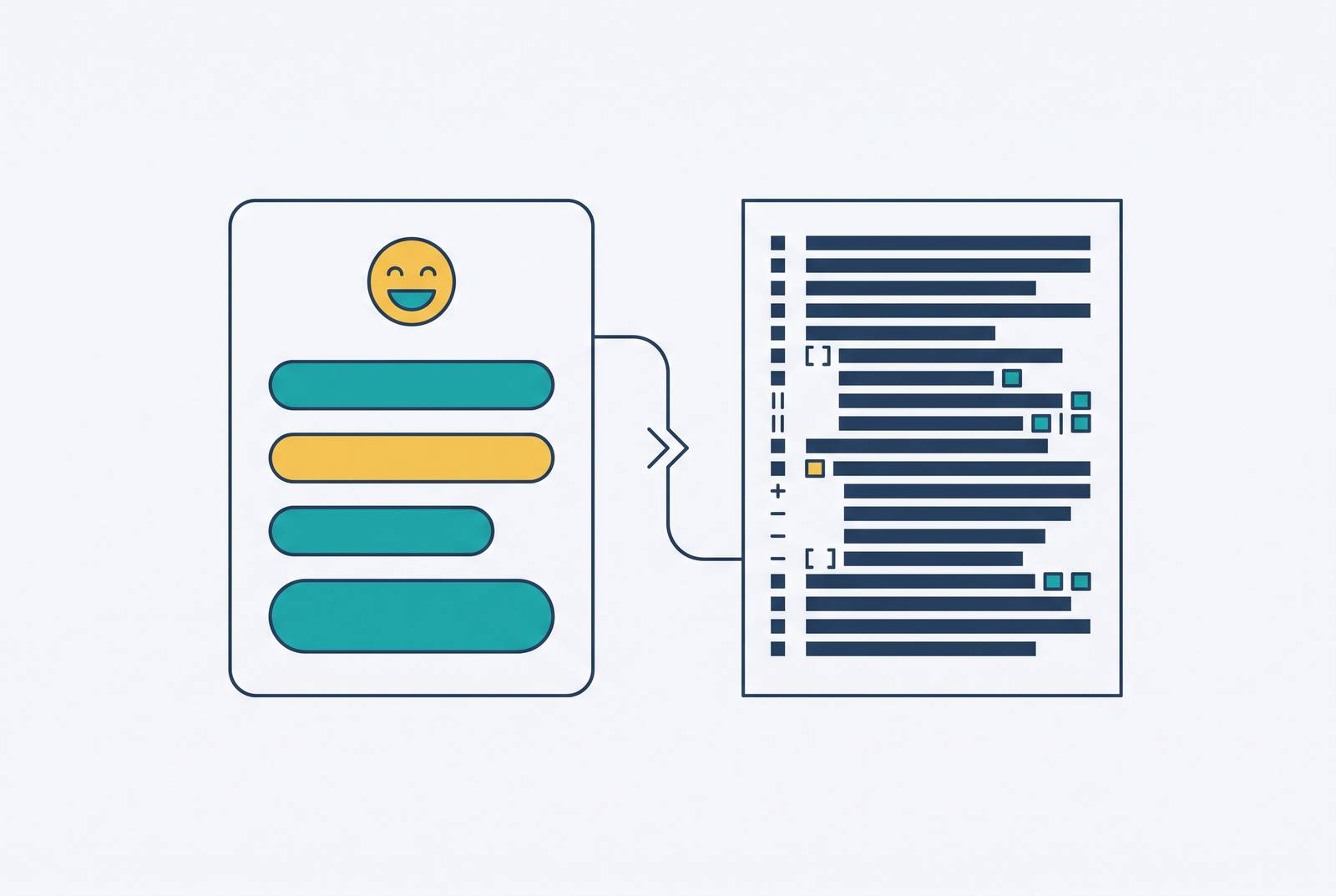
Changelog formats for end users and developers differ because the readers have different decisions to make. End users need to understand what changed for them and what to do next. Developers need to judge compatibility, upgrade work, and risk. The format should fit those jobs, and a release for both audiences often needs two documents.
Why the same release note fails two audiences at once
“Added composite index on user_id and created_at columns” appears on a user-facing release page. A customer scans it and moves on. The entry describes engineering work, but it leaves the reader to guess whether anything they use has improved. Even a technically literate customer cannot tell from that sentence alone what difference the update makes to their day.
Replacing it with “Dashboard loads faster for large accounts” solves the customer’s problem. It does not, however, establish a sufficient format for developers making dependency decisions. A statement of benefits says little about compatibility, changed parameters, or the work a migration will take. Those readers need different evidence before they can act.
That is why a combined changelog can fail in either direction. Preserving every implementation detail makes customers sift through material they cannot use, while compressing everything into benefits removes information an integrator may need. The conflict is structural. Better phrasing cannot resolve an undecided audience, because the missing decision determines what belongs in the document.
What end users actually need from a changelog entry
“Added composite index on user_id and created_at columns” is a weak user entry because it describes the mechanism. Its stronger rewrite is Dashboard loads faster for large accounts. The bold lead gives the reader the useful change immediately. A customer with a large account can see why it matters to them without knowing how the database work was done.
Does the reader need to do something, or can they simply benefit from the update? A useful entry answers that question in one to three sentences, with a documentation link when the feature needs a fuller explanation.
Grouping entries as New, Improved, and Fixed supports that quick scan better than grouping them by internal team. Bug fixes deserve the same specificity as features, because users may already have experienced the problem. “Various bug fixes” offers them no confirmation that their particular frustration has been resolved. Clear acknowledgment can reduce follow-up support tickets and build trust, while raw commits, internal refactoring, and changes with no user-visible effect have no useful role on this page.
What developer-facing changelogs must contain that user notes cannot omit or compress
A developer’s central question is whether to upgrade, when to upgrade, and what work the upgrade requires. The answer needs a compatibility contract. Semantic versioning provides the structural spine of that contract. A version number tells an integrator what kind of change to expect, while exact release details explain what that change will do.
Breaking changes belong at the top of the entry. Burying them below enhancements makes the most consequential information the easiest to miss. The categories Added, Changed, Deprecated, Removed, Fixed, and Security then distinguish changes that require different responses. Early notice of a deprecation gives developers time to plan the work before a removal forces them to act.
For an API, this precision extends to exact endpoint names and parameter changes. Deprecated fields need explicit identification and the version at which removal is planned. Response format changes need before-and-after examples when readers cannot readily see what changed. Each breaking change also needs its own migration guide.
If one document serves both audiences, its technical portion still needs to preserve them. The distinction is not that developers prefer longer entries. Their next action depends on information that a short user benefit statement cannot supply.
How the Keep a Changelog standard applies differently across these two tracks
Keep a Changelog establishes a shared foundation with its principle “Made for humans, not machines”. That applies to developers as much as customers. Human readability does not require removing technical terms when those terms are the exact information the reader needs. It requires arranging the information so the reader can use it.
The standard’s rules for ordering entries and finding a way through them help both audiences. The latest version comes first, and release dates show when a feature arrived or a contract changed. Versions and sections should also be linkable through anchors within the changelog itself. Those anchors let readers point to a specific release or category, rather than sending someone to the top of a long page.
Audience differences become clearer in the labels. Developer tracks need semantic versions and should preserve the six standard category names because tooling depends on them. User tracks may use dates or product names and rename or collapse categories into New, Improved, and Fixed. For those readers, an unfamiliar version label can add interpretation work without helping them decide what to do.
Developers can use a section for upcoming changes to see what is staged, but a customer-facing entry rarely belongs on the public release page before the feature is available. The standard supplies a common structure.
When one release genuinely warrants two separate documents
A product with a public API and a broader user base has a clear reason to maintain separate tracks. External integrators need migration paths, while customers need to know what they gain and what they have to do next. When a release also contains breaking changes, the split becomes especially useful because the contract change and the user-visible consequence need different explanations.
Continuous delivery strengthens the case for separation. Frequent releases make a combined log increasingly noisy, and structured commit formats such as Conventional Commits already provide usable material for a developer track. Keeping that information buried in customer notes wastes its precision.
Two tracks still have a maintenance cost. A CLI tool, an SDK, or a developer API may have only developer users, making a single technical changelog the correct choice. Infrequent releases may also fit one carefully written document with a plain-language summary followed by technical details.
A structured changelog can serve as the source of truth for polished user release notes distributed through multiple channels. That arrangement gives the two documents a common factual base without requiring them to share the same wording.
How automation handles the developer track and where it falls short on the user track
Automation starts with collection, where the work is largely deterministic. API calls can pull merged pull requests, titles and descriptions, linked issues, commit messages, diff stats, and labels. Conventional Commits give this process input that is already structured.
Clean, structured input can support automatic versioning and categorization in a post-merge CI pipeline. Execution follows a successful build on the release branch. For the developer track, exact details in a consistent structure are often enough on their own. An editorial rewrite of a breaking-change description can even introduce ambiguity where the structured description was exact.
A model can synthesize dozens of technical commits into plain-language summaries, translating a bundle of engineering records into something customers can read. That is useful work, but readable output is not necessarily publishable output. The model may surface internal implementation details, misjudge a change’s significance, or repeat confidential context from commit messages.
To keep producing customer-facing notes this way, teams can automate collection, use a model to help write them, and have a person review them. Automation reduces the work of gathering and drafting. It does not reliably decide what customers should see or whether the framing accurately reflects their experience.
Why human review is structural, not optional, for user-facing notes
The review gate controls which parts of internal records go into what customers read. It is easy to overlook that boundary when an automated draft reads well. Confidential context can survive translation into plain language, so fluency offers no assurance that the material belongs in public. A reviewer must judge the intended audience of the underlying information.
Breaking changes create a separate translation risk. “Removed deprecated endpoint” may correctly describe the developer change, while the relevant user message is “you will need to reconnect your integration before the next billing cycle”. Those statements serve different decisions. The user wording must say what the user has to do, which takes more than swapping technical nouns for simpler ones.
Tone needs the same scrutiny as facts. An accurate fix announcement can still sound dismissive about a bug users have been vocal about. An inflated description of a minor improvement can also undermine trust when the experience fails to match the promise. Neither problem is solved by correct categorization.
Before a team publishes user notes, a reviewer should check that the wording matches what customers will see, that breaking changes are clear, and that confidential material has been left out. Reading the entry aloud to someone in sales or support is a practical way to check whether it makes sense. Internal and developer-only logs can ship unattended when their inputs support it, but customer communication needs this additional control.
Changelog structure as a signal AI answer engines can retrieve and cite
A public changelog also gives AI answer engines material to retrieve when people ask about a product. Regular release entries combine recent information with a predictable structure. Those properties extend the value of audience-first formatting beyond the person browsing the page. The same entry can be used as an answer block elsewhere.
Bold summary leads, short entries, and typed categories make it easier to pull out each change. A plain-language impact statement also gives a retrieval system something relevant to a question about what a product does well. An internal commit description leaves that connection unstated. The system has less usable language linking the engineering change to a product capability or benefit.
Vague entries weaken both forms of reading. “Various bug fixes” cannot tell a customer whether a problem was addressed, and it gives an answer engine no specific improvement to cite. A commit dump has more detail but may still lack a usable answer to a product question. Volume does not repair the missing explanation.
Access is a separate prerequisite. A changelog behind authentication or outside the public index cannot serve as a publicly retrievable source in the same way. Clear entries and consistent publication create opportunities for AI visibility, but they do not guarantee citations. Their advantage is that they make current, specific product information available in a form that can be extracted.
A practical decision framework for changelog format before the next release ships
Before drafting, identify the primary reader and the action the release requires from them. Are they customers using the product, developers integrating it, or both? For distinct audiences, plan separate tracks unless the release cadence and scope genuinely support a shared document. For a developer tool, confirm whether the two audiences are actually the same.
Next, inspect the release for breaking changes. Put them first in the developer track and attach a migration path specific to each change. Where users must act, state that action plainly in their notes. Do not make them infer a task from an API description.
Then apply each track’s format. Give developers a semantic version, reverse-chronological ordering, the six standard categories, exact API details, and relevant links to diffs and issue trackers. Give users a date or product-name label, a bold summary lead, and one to three sentences about impact and next steps. Add visuals where helpful and documentation links where more explanation is needed, while excluding internal-only work.
Finally, apply the appropriate publication gate. Let developer automation run unattended only when the input is clean and structured, and require human review of user wording, confidentiality, and required actions. Use the sales or support read-aloud test for customer entries, and check that developer entries contain the details needed for an upgrade decision, with migration guidance directly attached. Before publishing, check that the changelog is in the public index and that each short, typed entry says exactly what changed. A changelog built for its audience already has the structure AI systems need to retrieve and cite it.